Starting Roblox...
Connecting to People...
Check Always open links for URL: Roblox Protocol
and click Open URL: Roblox Protocol
in the dialog box above to join experiences faster in the future!
-
1
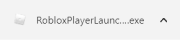
Click RobloxPlayer.exe
to run the Roblox installer, which just downloaded via your web browser.
-
2
Click Run
when prompted by your computer to begin the installation process.
![]()
-
3
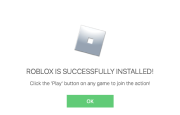
Click Ok
once you've successfully installed Roblox.
![]()
-
4
After installation, click Join
below to join the action!
The Roblox installer should download shortly. If it doesn’t, start the
download now.
Loading IP address...
We want to make sure it's you. Enter the code we sent to your email:
**************@gmail.com.